PProfessional engineering app

DVB Engineering Suite

A standards-traceable DVB, RF, transport and modern-IP engineering workspace for Apple devices.

About product
All products

Overview

About DVB Engineering Suite

DVB Engineering Suite is a paid professional, offline SwiftUI calculation and reference workspace for broadcast engineers. Its native deterministic engine keeps standards provenance, validation boundaries and assumptions beside implemented calculations across satellite, terrestrial, cable, transport, modern IP and RF/link domains.

For broadcast, RF and network engineers who need repeatable calculations together with the exact assumptions and standards context behind each result.

Features

Designed around the real workflow.

  • DVB-S, DVB-S2/S2X, DVB-RCS and DVB-RCS2 engineering
  • DVB-T/T2, SFN, T2-MI and terrestrial ecosystem planning
  • DVB-C/C2 and declared carrier-plan calculations
  • MPEG-2 TS, DVB-SI, MPE, GSE and GSE-Lite tools
  • DVB-NIP, DVB-I, DASH, MABR and Home Broadcast references
  • RF, antenna, propagation, noise and link-budget workspaces

One native workspace across Apple devices

A shared SwiftUI product runs as a universal iPhone and iPad app and as a separate native macOS app. Compact, wide and desktop layouts keep the same typed calculation engine while adapting navigation, comparison, keyboard and result presentation to the available screen.

Standards traceability is part of the result

Implemented rules identify their normative source, edition and calculation context. Typed units and deterministic Decimal or rational arithmetic protect engineering rounding, while invalid combinations are refused explicitly instead of being silently clamped into a valid-looking answer.

From carriers to complete delivery stacks

The catalogue spans DVB-S/S2/S2X and return links, DVB-T/T2 and T2-MI, DVB-C/C2, MPEG-2 transport and service information, MPE and GSE, modern DVB-IP systems, and RF/link engineering. Cross-family tools reuse the same evidenced engines without collapsing unlike interfaces into misleading comparisons.

Professional scenarios and reproducibility

Working values, appearance and engineering-unit conventions remain local to the device. Supported comparison workflows can freeze immutable calculation traces with source references, warnings and reproducibility fingerprints, then export them for review without turning the app into a live analyzer.

Connected features remain deliberate

Core calculations and reference data work offline. DVB-I inspection connects only to the HTTP or HTTPS address entered by the user, and optional location access fills editable receive-site coordinates. The product does not proxy a user’s DVB-I request or operate a live tuner or transport-stream capture stack.

Engineering catalogue

The DVB stack, organized by engineering domain.

The catalogue combines implemented tools and clearly marked development modules. Every calculation must pass its source, reference-vector, invalid-combination, UI and accessibility gates before it is presented as complete.

01

Satellite & return channel

DVB-S · S2 · S2X · DSNG · RCS · RCS2

Carrier, frame, MODCOD, capacity and bandwidth workspaces; VL-SNR, superframe, bonding and time-slicing planning; return-burst, timeslot and scheduled-resource calculations.

02

Terrestrial & T2 ecosystem

DVB-T · T2 Base/Lite · DVB-H · T2-MI · SIS

OFDM, guard, SFN and payload planning together with T2 frame/PLP allocation and specialist T2-MI gateway, packet-order, timing and contribution-link references.

03

Cable engineering

DVB-C · DVB-C2

Symbol-rate, useful-transport and declared carrier-bank calculations plus C2 MODCOD, Data Slice, L1, packet-packing and allocation-budget workspaces.

04

Transport, SI & data

MPEG-2 TS · DVB-SI · DVB-DATA · MPE · GSE

Transport-rate and packet arithmetic, service-information planning, MPE/MPE-FEC composition, GSE/GSE-Lite fragmentation, label reuse and BBFrame packing.

05

Modern IP-centric DVB

DVB-NIP · DVB-I · DASH · MABR · Home Broadcast

Offline bearer/profile planning, service-list preflight, adaptive-delivery worksheets and interface-aware TS versus Native-IP/GSE comparisons.

06

RF, propagation & link

ITU-R references · deterministic unit engine

Antenna geometry, GSO pointing, spectrum and carrier planning, RF/logarithmic units, thermal noise, atmospheric attenuation and link-budget building blocks.

Screenshots

A dense engineering workspace that stays readable.

Actual development builds on iPhone, iPad and Mac. The interface keeps the calculation, assumptions and standards context together.

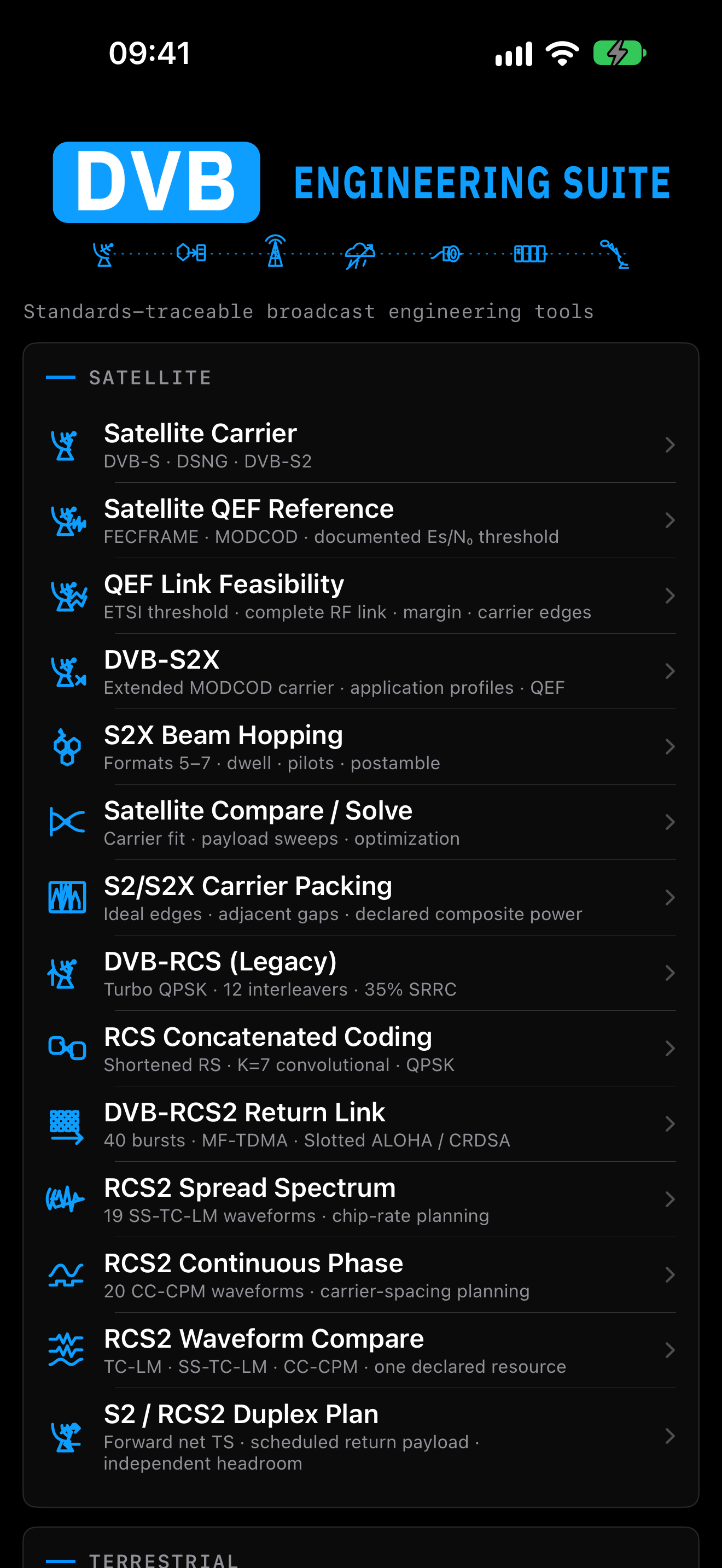
Current DVB Engineering Suite module catalogue on iPhone
Engineering catalogue · iPhone
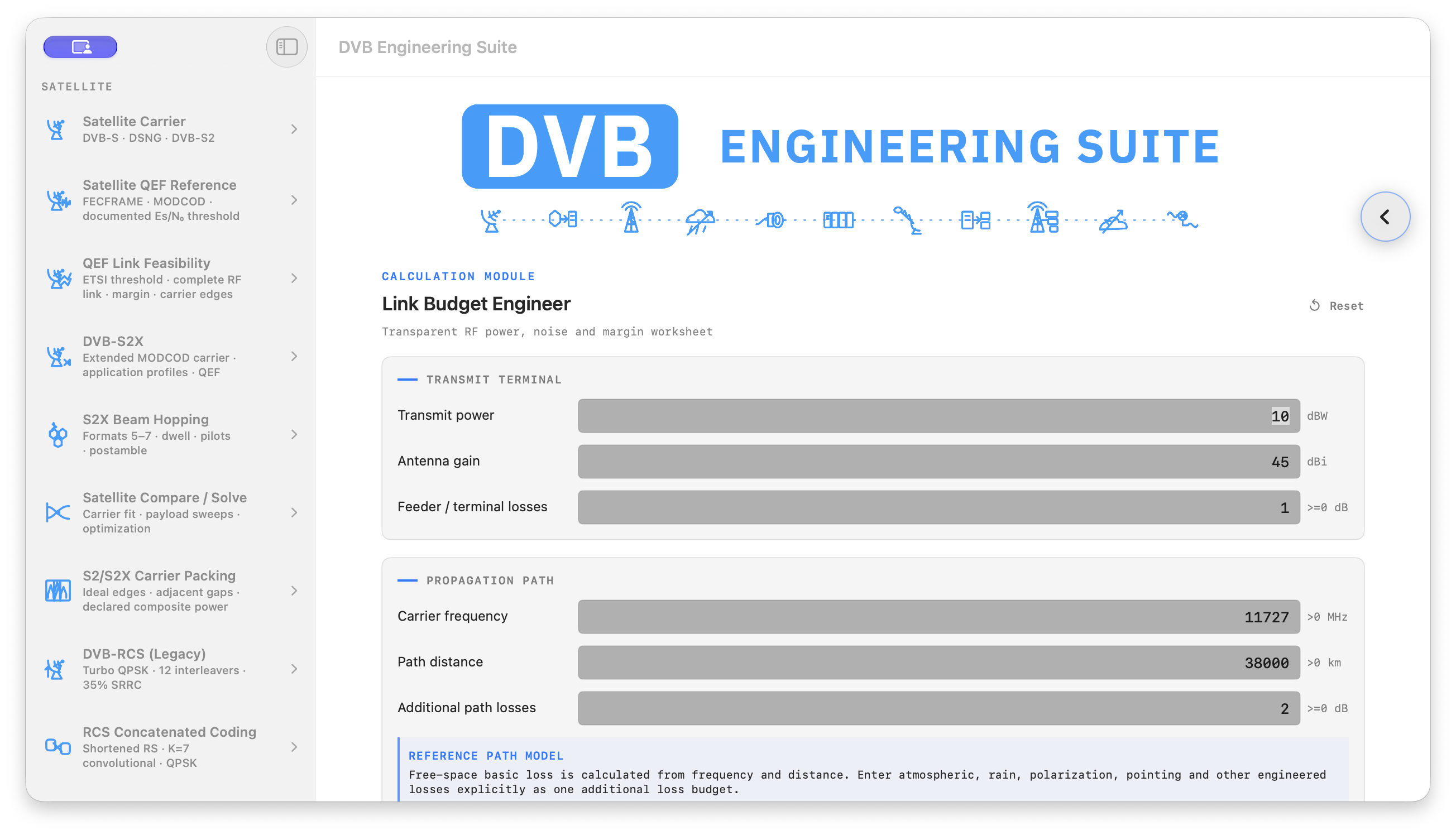
Link Budget Engineer module in DVB Engineering Suite on Mac
Link Budget · Mac
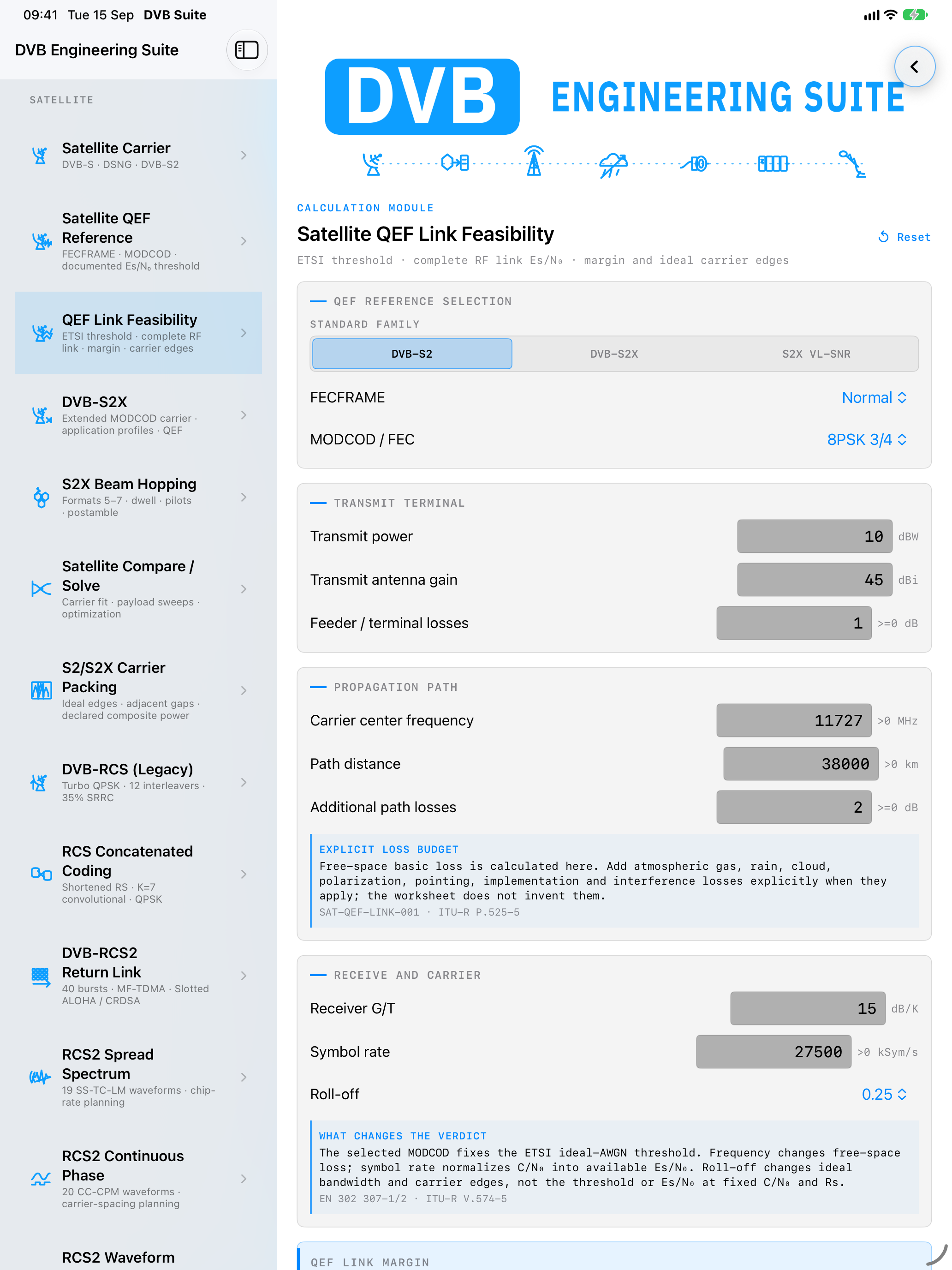
QEF Link Feasibility module in DVB Engineering Suite on iPad
QEF Link Feasibility · iPad

Platforms

One engineering system for iPhone, iPad and Mac.

The shared SwiftUI source set builds a universal iOS/iPadOS app and a separate native macOS app. The phone favors a compact field reference, iPad provides a wider two-column workspace, and Mac adds resizable desktop layouts and keyboard-first operation. Core calculations work offline; DVB-I URL loading and optional location assistance are deliberate connected features.

Manual

Use a calculation with its context.

The result is only one part of the engineering decision. Keep the implemented scope, assumptions and source values with it.

  1. 1. Select the engineering domain

    Choose a module from the catalogue: satellite, terrestrial, cable, RF and link engineering, transport systems or modern IP workflows. The catalogue groups related calculations so the technical context stays visible.

  2. 2. Read the implemented scope

    Before entering values, check the standard, edition and rule context shown with the calculator. A computed value is engineering support, not automatic proof that a design is compliant.

  3. 3. Enter the complete input set

    Use values from the same scenario and unit system. Unsupported combinations and out-of-profile inputs are identified instead of being silently forced into a nominal range.

  4. 4. Interpret the result and guidance

    Review the numerical result together with assumptions, domain notices and equipment advisories. Warnings explain when the result is outside the implemented profile or needs another engineering check.

  5. 5. Compare deliberately

    Change one design decision at a time when comparing alternatives. Values and preferences are retained locally so repeated calculations do not require the entire workspace to be re-entered.

  6. 6. Report a differing result

    Include the calculator name, every input, the standards edition, expected value and rounding convention. This makes the difference reproducible without exposing unrelated project data.

Accuracy boundary

The suite is a development-stage engineering reference, not a certification tool. Confirm the implemented standard and scope before relying on a result for a design decision.

Keep formula provenance beside the result you record.

Support

Need help with DVB Engineering Suite?

Ask about compatibility, access, troubleshooting or deployment requirements.

Downloads

Get the right release.

Public packages appear in the download centre. Customer-specific releases require an authorized account.